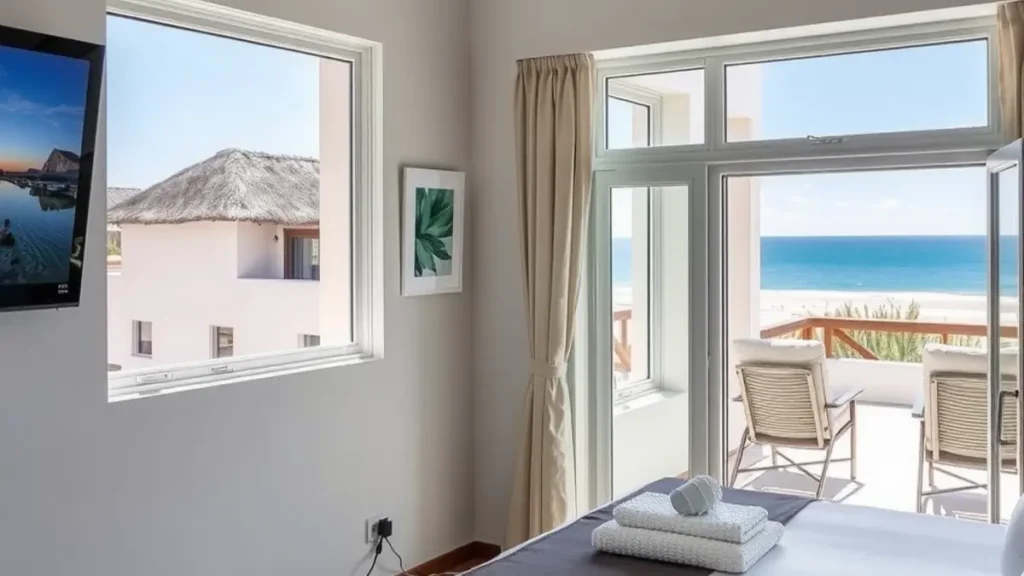
A lagoon-side holiday rental needs television that a guest can use without calling the owner for a lesson. The system also has to cope with periods when the house is empty, busy changeovers, salt air and Langebaan's strong summer wind. A good setup is therefore simple at the television, carefully installed outside and documented for whoever manages the property.
The goal is not to fill every room with equipment. It is to match viewing to the type of booking, make common controls obvious and give the owner a practical maintenance plan. This guide covers DStv, connected viewing and the small handover details that prevent avoidable guest complaints.
Choose viewing points around the guest experience
Start with how the property is used. A family rental may need one dependable lounge television rather than decoders in every bedroom. A larger house or premium unit may justify a second independent viewing point. Decide this before cable routes are planned because each extra room adds equipment, controls and another place where a guest can select the wrong input.
For compatible multi-room requirements, Extra View installation should be designed as a complete system. Confirm which rooms require independent channels and where decoders can sit with ventilation and secure power. Avoid placing equipment where cleaners must move it to reach cupboards or where guests can easily disconnect signal cables.
Protect exposed parts from coastal wear
Lagoon salt air can accelerate corrosion on exposed metal and poorly protected connections. Wind can also move a weak mounting point, while blown sand works into open or low-mounted equipment. The response is careful positioning, suitable fixings, protected connectors and tidy cable support. It is not a claim that any outdoor installation will remain untouched forever.
Ask the installer to inspect the mount as well as signal level. A dish can be accurately aligned on an unstable bracket and fail again after the next strong wind. Keep vegetation, stacked furniture and maintenance work away from the dish path where possible. If painters or roof contractors have worked near the installation, arrange a check before assuming a later signal fault is inside the decoder.
Make the television easy to operate
Leave the television on the correct HDMI input and label the DStv remote if several remotes are present. A one-page instruction card should explain how to turn on the television and decoder, choose the correct input and report an error. Keep the wording specific to the property. Generic instructions copied from another house often name the wrong room, remote or input.
If the screen is being repositioned, professional TV mounting can coordinate bracket position with power, decoder and cable access. The screen should not block ventilation or leave hanging leads within reach of children. Ask the installer what wall type and bracket are suitable rather than choosing a mount by screen size alone.
Separate satellite and internet problems
Connected Explora functions depend on the home network, while live satellite channels depend mainly on the dish system and decoder status. Guests may describe both failures as 'the TV is down'. The manager's fault checklist should ask whether live channels work, whether other devices have internet and what message appears on screen. Those answers send the problem to the right service.
If coverage drops in bedrooms or on the patio, investigate the network through WiFi network services. Thick walls, distance and poorly placed routers can create dead spots. Moving a router at random may fix one room and weaken another, so coverage should be planned around guest areas and the location of the incoming internet connection.
Build a changeover check
Add television checks to the cleaner or manager's changeover routine. Confirm that the decoder powers on, a live channel displays, the remote has working batteries and the television remains on the labelled input. Check that cables have not been pulled loose when furniture was moved. This takes little time and catches simple faults before check-in.
The check should remain within safe reach. A cleaner should not adjust the dish, open connectors or climb onto a roof. If the picture breaks up or the decoder reports no signal, record the message and contact the person responsible for technical work. Limiting casual adjustments makes later diagnosis easier because the original condition has not been changed by several people.
Plan maintenance before busy periods
A property that stands empty for part of the year can develop a fault without anyone noticing. Schedule an operational check far enough ahead of a busy booking period to allow repairs. Planned DStv maintenance is especially relevant after sustained wind, building work or a previous intermittent fault.
Keep maintenance proportionate. There is no reason to replace serviceable equipment merely because it is old. Inspection should focus on visible wear, secure cable support, connector condition, signal readings and reliable decoder operation. Record any replaced part and the reason, which gives the owner a useful history for later decisions.
Create a useful owner handover
The owner or manager should know where the decoder, router, power distribution and accessible cable points are located. Keep model details and the service contact in the property file. Do not leave account passwords in a guest information folder. Guests need operating instructions, while account access should remain with an authorised person.
For a new property or a full refresh, ask for decoder setup and network testing to be handed over together. Test the remote from the normal seating position and confirm that connected features work where offered. A short, accurate handover is more useful than a long equipment manual that nobody reads.
Handle faults without disrupting the booking
Give guests one contact route for reporting television problems. Ask for a photo of the on-screen message and a note of what still works. The manager can then decide whether the issue is an input setting, a power interruption, an account matter, a WiFi fault or a satellite signal problem. Avoid asking guests to unplug several cables as a first response.
If a technical visit is needed, agree access and privacy arrangements with the guest. The technician should know which room is affected and whether the manager will attend. After repair, update the property record and restore the operating instructions to their usual place. This closes the loop for the owner and the next changeover team.
Frequently asked questions
How many DStv viewing points does a holiday rental need?
Many rentals work well with one reliable lounge setup. Add another point only when the property layout and guest promise justify it. More rooms mean more equipment, remotes and potential support calls.
Does lagoon salt air damage a DStv installation?
Salt air can contribute to corrosion of exposed metal and connections over time. Suitable positioning, protected connectors and periodic inspection can reduce avoidable wear, but outdoor equipment still needs monitoring.
Should guests be allowed to reset the decoder?
Guests can follow a short owner-approved restart instruction if it is safe and specific. They should not alter cables, dish settings, account details or roof-mounted equipment.
Can poor WiFi affect DStv?
Poor WiFi can affect connected decoder features and streaming, but it does not normally cause a satellite dish to lose alignment. Check live channels and other internet devices to separate the two problems.
When should a rental system be checked?
Check basic operation during every changeover and arrange technical inspection before a busy period if the property was empty, exposed to severe wind, recently renovated or already showing intermittent faults.
Need a local technician?
Call or send an enquiry for DStv installation, signal repairs or help with your setup in Langebaan and nearby West Coast areas.
Call 079 754 5527Request a quote